
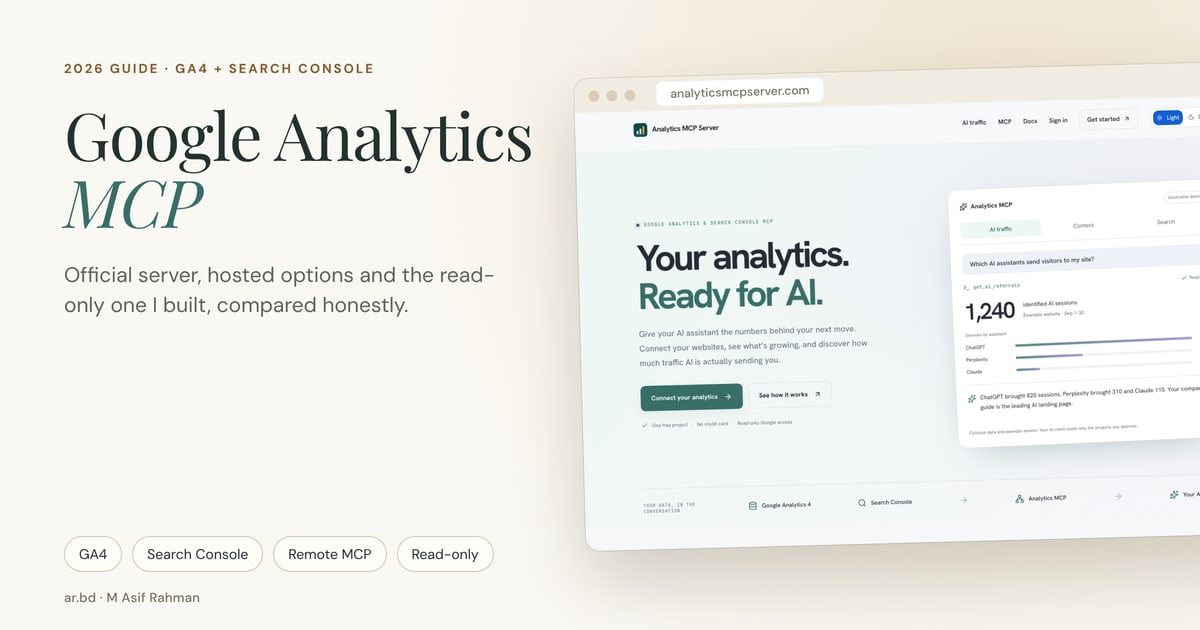
TL;DR: A Google Analytics MCP server lets an AI assistant such as Claude, ChatGPT, Gemini or Cursor read your GA4 reports and answer questions in plain language. If you're a developer happy with Python, gcloud and a local client, start with Google's official Google Analytics MCP server. It's free, open source and read-only. If you want it in a web chat client without installing anything, or you need GA4 and Search Console answered together, use a hosted remote MCP server.
| If you… | Start with | Why |
|---|---|---|
| Are a developer using Gemini CLI or Claude Code | Official Google Analytics MCP | Free, open source, runs on your machine, GA4 only |
| Want one-click OAuth and nothing to install | A hosted server: Stape, Coupler.io, Manifold or Analytics MCP Server | Remote URL plus Google sign-in |
| Need GA4 and Search Console in one answer | Analytics MCP Server, Manifold or Coupler.io | The official server has no Search Console tools |
| Need to change GA4 settings or send events | Composio's toolkit | Most GA4 MCP servers are read-only on purpose |
| Have a team sharing several sites | A hosted option with workspaces | Local servers use one person's credentials |
Why I'm writing this
I run a lot of websites: company sites, product sites, and this one. Every week I wanted to ask my AI assistant the same simple questions. What changed? Which pages are growing? Is AI sending us anyone? Each time, the answer meant opening GA4 in one tab and Search Console in another and stitching them together myself.
Google's official Google Analytics MCP server was a good start, but it lives on a developer's laptop and only speaks GA4. I wanted something I could use from Claude in a browser, with Search Console in the same answer, for all my sites at once. I couldn't find it, so I built it for myself first. That became Analytics MCP Server.
So, full disclosure: I built one of the options in this guide. I've tried to give the others a fair hearing, and to be blunt about where mine still falls short.
What is a Google Analytics MCP server?
MCP, the Model Context Protocol, is an open standard for connecting AI assistants to tools and data. A Google Analytics MCP server sits between an AI client and the Google Analytics Data and Admin APIs. When you ask "which channels drove sessions last month?", the model calls a tool on the server, the server runs a real GA4 report, and the model answers from those rows instead of guessing.
That last part is the whole point. Without an MCP connection, an assistant can only talk about GA4 in general. With one, it can read your property, compare periods, follow a drop down to a page, and tell you what changed.
There are two ways to run one:
| Local (stdio) server | Hosted (remote) server | |
|---|---|---|
| Where it runs | A process on your computer | Someone's server, reached by URL |
| Who holds your Google credentials | You (Application Default Credentials or a service account) | The provider, after you sign in with Google |
| Works in claude.ai or ChatGPT on the web | Not without a tunnel | Yes, if the client supports custom connectors |
| Setup | Python or Node, a Google Cloud project, enabled APIs | Paste a URL, sign in, approve |
| Cost | Free | Free tiers, then paid plans |
| Trust model | Nothing leaves your machine except API calls | You trust the provider's token storage and policies |
Neither model is "better". It depends on who is asking the questions and where they ask them.
The official Google Analytics MCP server, explained
Google released its Google Analytics MCP server in July 2025. It lives at googleanalytics/google-analytics-mcp, is Apache-2.0 licensed, and the repository still labels it experimental.
It exposes seven read-only tools:
| Tool | What it does |
|---|---|
get_account_summaries |
Lists the accounts and properties you can see |
get_property_details |
Returns one property's settings |
list_google_ads_links |
Lists linked Google Ads accounts |
run_report |
Runs a standard GA4 Data API report |
run_funnel_report |
Runs a funnel report |
get_custom_dimensions_and_metrics |
Lists a property's custom definitions |
run_realtime_report |
Runs a realtime report |
How to set up the official server
- Install Python 3.10+ and
pipx, plus the gcloud CLI. - In a Google Cloud project, enable the Google Analytics Admin API and Google Analytics Data API.
- Create credentials. The documented route is Application Default Credentials:
gcloud auth application-default loginwith theanalytics.readonlyandcloud-platformscopes, using an OAuth client you created. A service account also works. - Add the server to your client's config (for example
~/.gemini/settings.jsonfor Gemini CLI) so it launchespipx run analytics-mcp, with your project ID and credentials path in the environment. - Restart the client and ask a question.
Where the official server is strong, and where it isn't
Good: it's free and maintained by Google's Analytics team. Your credentials never leave your machine. It's strictly read-only, and run_funnel_report is something most hosted servers don't offer.
Not so good:
- Setup is the real cost. Python versions, pipx, an outdated gcloud CLI and file paths with spaces trip people up. Two Octobers' walkthrough shows how many steps there are, even for analysts.
- It's local only. It speaks to desktop and terminal clients. To use it from claude.ai or ChatGPT on the web you need your own hosting or a tunnel.
- GA4 only. No Search Console, so "which queries brought this page its traffic?" needs a second server.
- One person's credentials. Fine for you; awkward when an agency wants five teammates asking about twelve client sites.
Five problems people hit with GA4 MCP, and what solves each
While building an MCP server for my own sites, I kept running into the same five problems, and the GA4 community discussions describe the same ones. Here they are, with the options that solve each one.
Problem 1: "I just want it in Claude or ChatGPT, not a terminal"
Most people who search "Google Analytics MCP" aren't developers. They're founders, marketers and SEOs who live in a chat window. A remote MCP server with OAuth is the answer: you paste a URL into the client's connector settings and sign in with Google.
| Option | Hosting | How you connect | Free to start |
|---|---|---|---|
| Stape GA4 MCP | Hosted remote URL | Google OAuth in the browser | Yes, per Stape's solutions page |
| Coupler.io | Fully managed cloud | Guided OAuth | Free plan; paid plans from $32/month, check which include MCP |
| Manifold | Hosted | Google sign-in | 250 free credits a month; analytics tools cost 0 credits |
| Analytics MCP Server (mine) | Hosted remote URL | OAuth 2.1, dynamic registration, project-level consent | One free project |
My take: Stape's is the quickest if you only need GA4 in Claude Desktop. Coupler.io makes sense if you already use Coupler for reporting. Manifold covers the most ground in one connector.
Problem 2: "My AI can see GA4 but not Search Console"
This is the gap I care most about. GA4 tells you what happened on the site. Search Console tells you what happened on Google before the visit. Most real questions ("why did this page drop?") need both.
Google has no official Search Console MCP server. The google/mcp catalogue lists Analytics but not Search Console. Community servers such as ahonn/mcp-server-gsc work, but you run them yourself with a service account added to the property.
| Option | GA4 | Search Console | Joined in one answer |
|---|---|---|---|
| Official Google Analytics MCP | ✅ | ❌ | ❌ |
| Stape GA4 MCP | ✅ | Not mentioned | ❌ |
| Coupler.io | ✅ | ✅ (separate connector) | Possible through blending |
| Manifold | ✅ | ✅ (plus Bing) | Separate tools |
| Analytics MCP Server | ✅ | ✅ | ✅ Pages and queries joined per project |
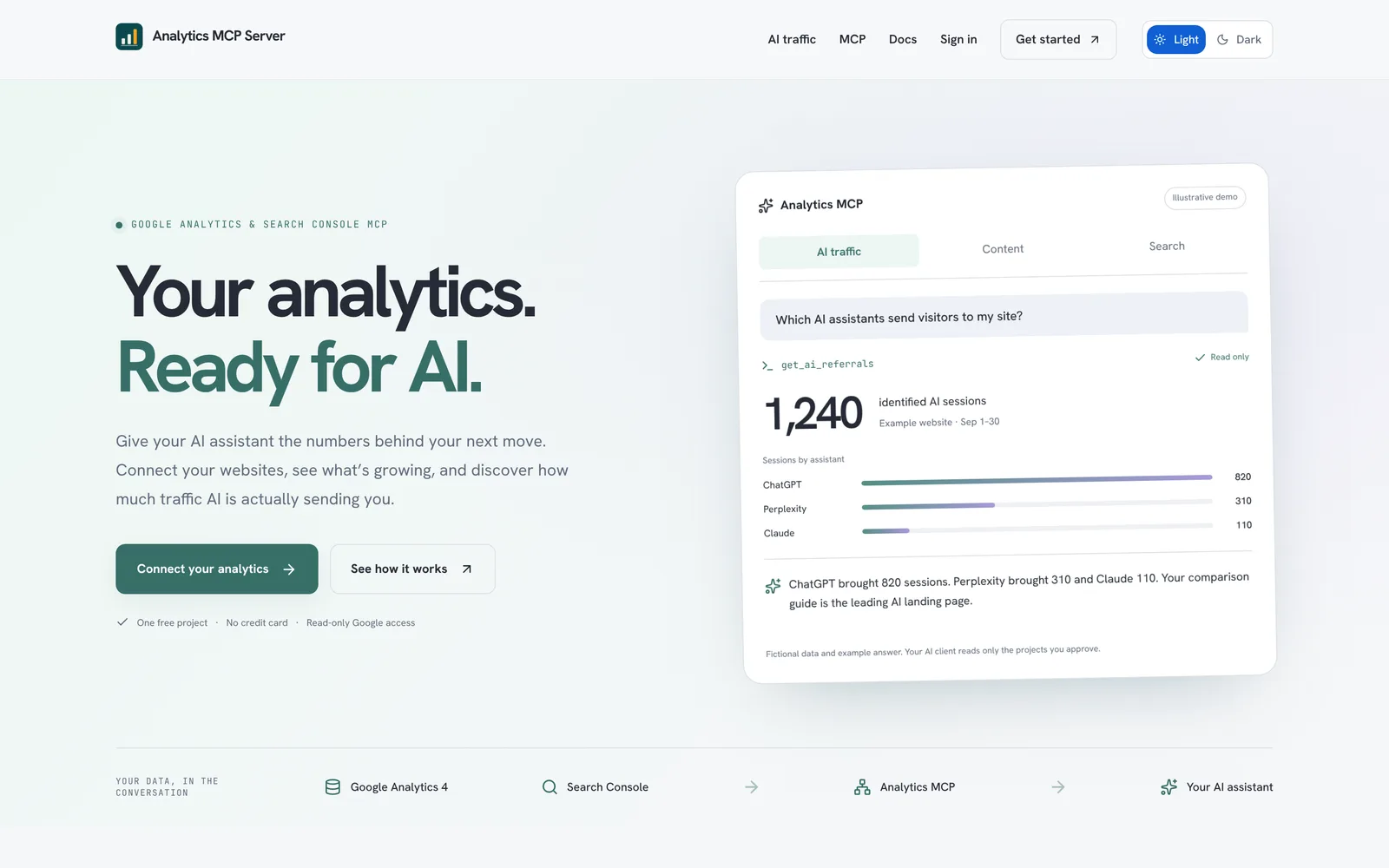
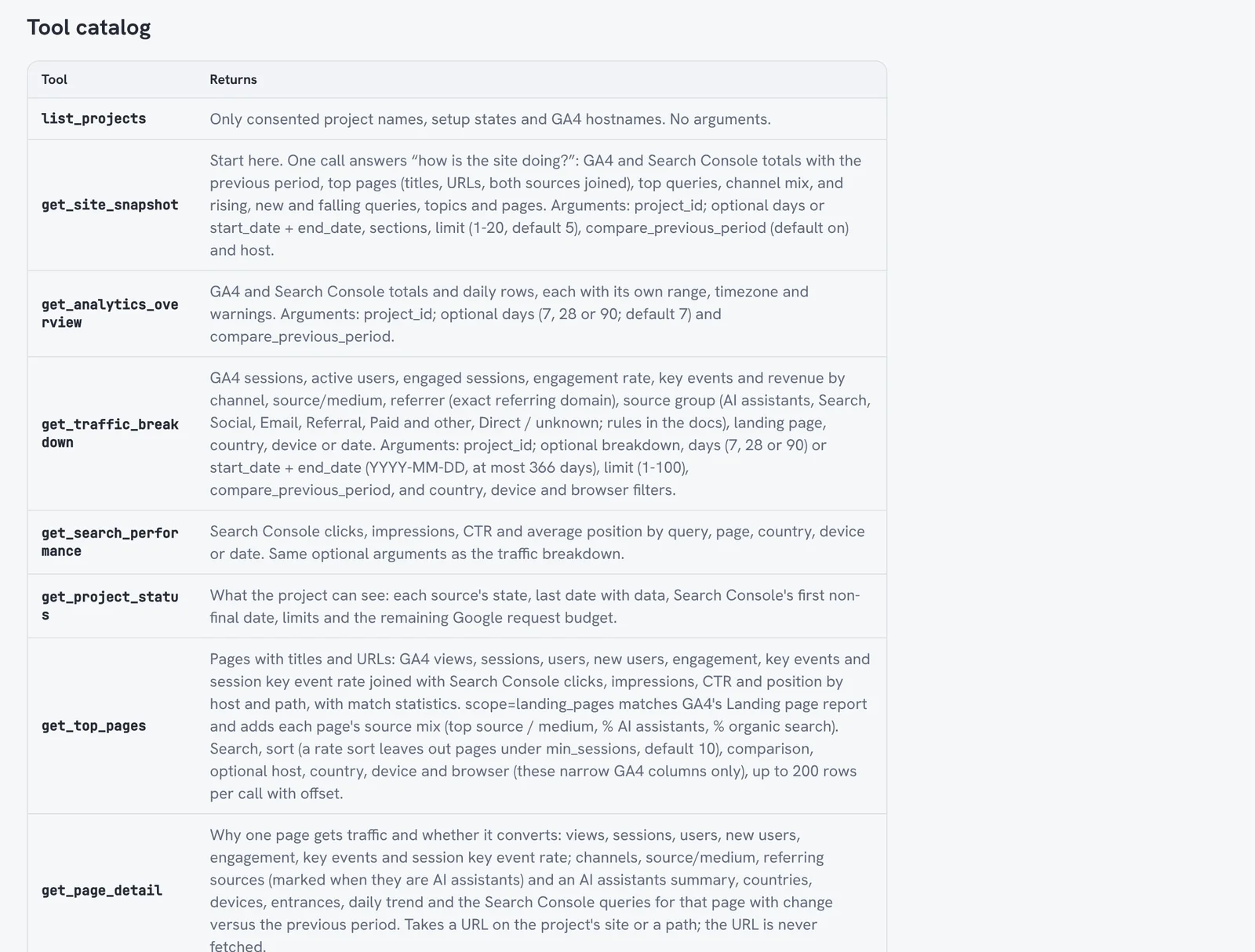
This is where my bias shows, so judge for yourself. This exact gap is why I built Analytics MCP Server, around one idea: a project pairs one GA4 property with one Search Console site, and the tools join them. get_site_snapshot returns GA4 totals, Search Console totals, top pages with both sources side by side, top queries, channel mix and rising or falling queries, in one call. get_page_detail answers "why does this page get traffic?" with the page's channels and the queries it ranks for.
Problem 3: "Can I trust the numbers the AI gives me?"
This is the honest problem, and no server fully solves it. The most-repeated advice in the GA4 community's own discussions is that MCP is for quick insights and exploration, and a built report is for anything you need to be exact. I agree.
What goes wrong:
- Thresholding and small samples. GA4 withholds or thresholds small segments. The model doesn't always say so.
- Fresh data moves. GA4's last day or two settles later. Search Console lags 2–3 days and revises recent rows.
- Different ranges look like one range. If GA4 is read "through today" and Search Console "through three days ago", a naive answer compares mismatched windows.
- Model arithmetic. Asking the model to compute ratios across several tool calls invites mistakes.
- "Zero" versus "unavailable". A disconnected or failing source must not read as zero traffic.
| Safeguard | Why it matters | Who handles it |
|---|---|---|
| Separate date ranges per source, stated in the result | Stops GA4 and Search Console windows being silently mixed | Analytics MCP Server reports both ranges and Search Console's last day with data |
| Completeness and warning fields | Tells the model when queries are anonymised or data is partial | Analytics MCP Server returns completeness and warnings; the official server returns raw API responses |
| Unavailable is never zero | Prevents invented drops | Analytics MCP Server's documented rule |
| Precomputed comparisons | Fewer model calculations | Hosted servers that return change versus the previous period |
| Your own judgement | Nothing replaces it | Everyone |
When I asked Claude about this site, ar.bd, through my server this week, the answer came with this warning attached, word for word:
GA4 totals and channels cover 2026-09-20 to 2026-10-17 (through today in America/New_York; today's numbers are partial). Search Console totals, top pages, top queries and trends cover 2026-09-17 to 2026-10-14, because Search Console data lags 2–3 days (it currently has data through 2026-10-14).
That's dull, and that's the point. An assistant that has to read that sentence is much less likely to tell you traffic "fell 20% yesterday".
Problem 4: "I don't want an AI anywhere near write access"
Read-only matters more for analytics than people expect. One wrong "create custom dimension" call won't break a business, but nobody wants an agent quietly editing property settings or sending events.
| Option | Google scopes | Can it change your GA4? |
|---|---|---|
| Official Google Analytics MCP | analytics.readonly (plus cloud-platform for ADC) |
No |
| Stape, Manifold, Coupler.io | Read access for reporting | No, as documented |
| Composio Google Analytics toolkit | Broader | Yes. Its 67 tools include Create Custom Dimension and Send Events |
| Analytics MCP Server | analytics.readonly, webmasters.readonly |
No. One opt-in write: the workspace owner can separately allow sitemap submission |
Composio is the right choice if you actually want an agent to administer GA4. For reporting, prefer read-only scopes.
Problem 5: "I manage many sites and a team"
Agencies and companies with several brands hit this fast. A local server is one person's credentials and one config file. Hosted servers can separate who signs in, which Google account supplies data and which AI client can read which site.
In my own case, about twenty projects sit behind one Claude connection: company sites, product sites and this blog. That's why I built the permission model the way I did:
| Permission | What it controls | Revoked separately? |
|---|---|---|
| Google sign-in | Who you are (Google account ID, not email) | Yes |
| Google data consent | Read-only GA4 and Search Console access | Yes, and disconnecting clears cached reports |
| AI client grant | Which client can read which projects | Yes, per client, immediately |
Team members read through the owner's read-only connection and connect their own AI clients. Removing someone revokes their clients in the same step.
The master comparison
| Official Google | Stape | Coupler.io | Manifold | Composio | Analytics MCP Server | |
|---|---|---|---|---|---|---|
| Hosting | Local | Hosted | Hosted | Hosted | Hosted | Hosted |
| Setup | High | Low | Low | Low | Medium (developer SDK) | Low |
| GA4 reports | ✅ | ✅ | ✅ | ✅ | ✅ | ✅ |
| Funnel reports | ✅ | Not listed | Not listed | ❌ | ✅ | ❌ |
| Realtime | ✅ | ✅ | Not listed | ❌ | Not listed | ✅ |
| Search Console | ❌ | Not mentioned | ✅ | ✅ | ❌ | ✅ joined with GA4 |
| AI referral report | ❌ | ❌ | ❌ | Not listed | ❌ | ✅ |
| URL inspection / index status | ❌ | ❌ | Not listed | Not listed | ❌ | ✅ |
| Writes to Google | ❌ | ❌ | ❌ | ❌ | ✅ | Opt-in sitemap submit only |
| Team workspaces | ❌ | Not listed | ✅ | Not listed | Developer-managed | ✅ |
| Open source | ✅ Apache-2.0 | Not stated | ❌ | ❌ | ❌ | ❌ |
| Price to start | Free | Free | Free plan | 250 free credits/month | Free hobby plan | One free project |
"Not listed" means I couldn't find it in the provider's own documentation on 17 October 2026, not that it doesn't exist. Check their pages before deciding.
Analytics MCP Server: why I built it and what I keep adding
It started as a tool for my own sites. Once it worked for me, I kept going: every week I hit another question my AI couldn't answer, and that became the next feature. AI traffic was the obvious one. I wanted to know how many visitors ChatGPT, Perplexity, Gemini and Claude actually send, and to which pages.
It went live on our own stack on 6 October 2026. Twenty-four releases followed in the next eleven days. The highlights:
| 2026 | What I added |
|---|---|
| 6 Oct | Launch: Google sign-in and one aligned GA4 and Search Console report. Teammates and content analytics the same day |
| 7 Oct | One-call site snapshots, AI referrals, page detail, query detail, ranking opportunities, realtime, honest date ranges and index status |
| 9 Oct | Find your sources by domain: type a website and the matching GA4 property and Search Console site are filled in |
| 13 Oct | A 30-day dashboard across every project, AI attribution across the workspace, and a dark "command view" |
| 15 Oct | One project, many sites: a hub and all its subdomains, answered together or one at a time |
| 16 Oct | Indexing and sitemaps: what you submitted, whether Google indexed it and why not |
| 17 Oct | Optional sitemap submission, the one write, off until the owner turns it on |
The full release history is in the public changelog.
It's helping me, and it's open to everyone. You can start with one project for free, no card. If you run more sites, send a short request from the Pro page saying how many and which AI clients you use. I read those requests myself. The more people find it useful, the more energy I'll put into it, alongside everything else I'm building.
Here's the honest version, negatives first.
Where it falls short
- It's new and moving fast. It launched in October 2026. It doesn't have years of edge cases behind it, and with releases this frequent, the documentation sometimes trails the code.
- ChatGPT isn't verified yet. I use it from Claude myself. The public docs still say ChatGPT and Claude compatibility has not been certified in real-client tests, and ChatGPT's connector mode needs developer mode on Pro, Business, Enterprise or Edu.
- The free plan is one project. More projects need a request that I review by hand. There's no checkout, so you can't just pay and upgrade today, and I can't promise to approve every request.
- You're trusting my server with a Google refresh token. It's encrypted at rest and limited to read-only scopes, but if your policy is "credentials never leave our machines", use the official server.
- No funnel reports, no Google Ads links. The official server has both.
- AI referral numbers are a floor, not a total. Assistants that strip the referrer show up as Direct, and the report says so.
- Request budget. The free plan allows 3,000 Google API requests a day per workspace. Heavy agent loops can hit it, although cached reports don't count again.
What it does well
- GA4 and Search Console joined per project, with ranges, freshness and warnings in every result.
- 24 tools, including
get_site_snapshotas a start-here call,get_ai_referralsfor ChatGPT, Perplexity, Gemini, Claude and Copilot traffic,get_opportunitiesfor queries ranked 5–20 with weak CTR,get_query_detailwith cannibalisation flags, andget_index_statusbacked by Google's URL Inspection API. - One URL for Claude, Claude Code, Codex, ChatGPT, Cursor, VS Code, Windsurf and Gemini CLI. OAuth 2.1 with PKCE, no API key to paste anywhere.
- A dashboard with the same numbers, so you can check the AI's answer against a screen.
How to connect it
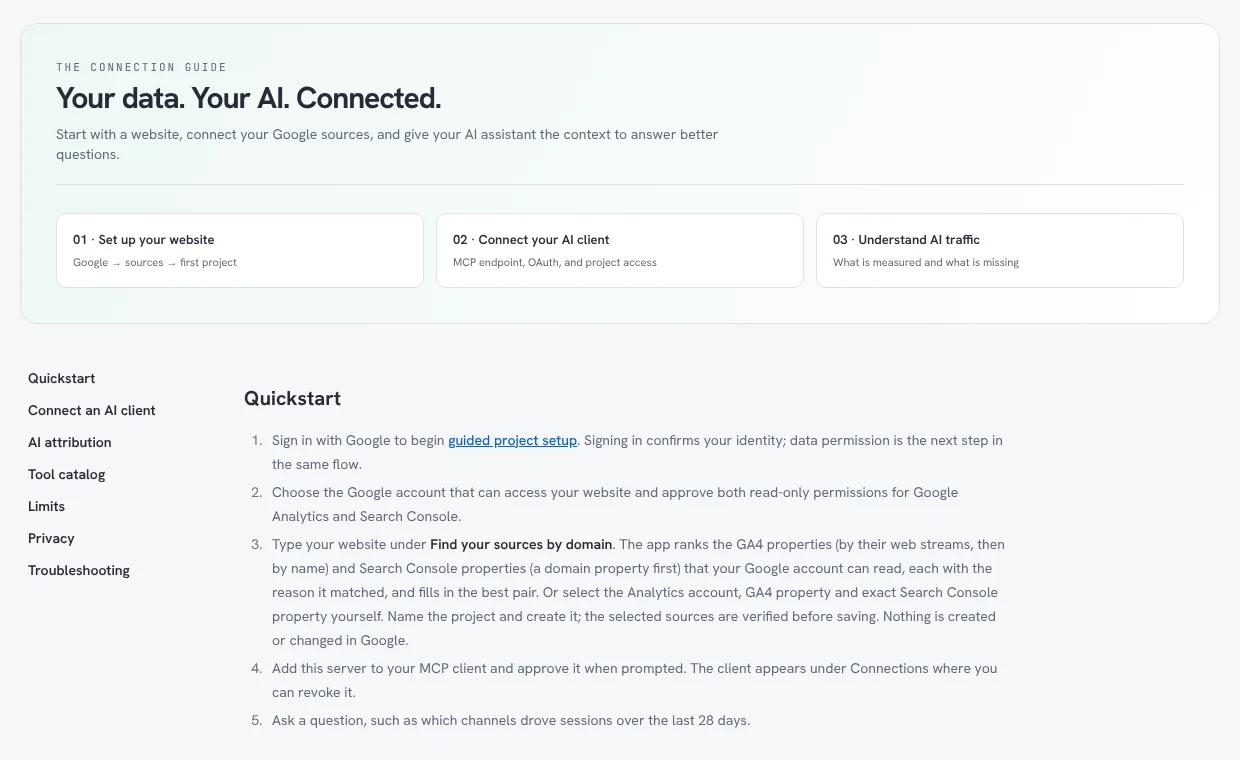
- Sign in with Google at analyticsmcpserver.com and approve the two read-only permissions.
- Type your domain. It suggests the matching GA4 property and Search Console site, and explains each match. Nothing is created in Google.
- Copy your MCP URL from Connect AI. In Claude: Customize → Connectors → Add custom connector. In Claude Code:
claude mcp add --transport http analytics <URL>, then/mcp. - Approve the client and choose its projects.
- Ask: "Give me a snapshot of the last 28 days and tell me what changed."
When to choose something else instead
I'd rather you pick the right tool than mine.
- Choose Google's official server if you're a developer, you only need GA4, and you want everything on your machine. It's free and it's Google's.
- Choose Stape if you want hosted GA4 in Claude Desktop in five minutes and don't need Search Console.
- Choose Coupler.io if you already report with Coupler or need many marketing sources beyond Google.
- Choose Manifold if you want Google and Bing search data in one connector.
- Choose Composio if you're building an agent that must manage GA4, not just read it.
- Choose Analytics MCP Server if you want GA4 and Search Console answered together, care about AI referral traffic, or need team workspaces with per-client revocation.
Good questions to ask once you're connected
| Goal | Prompt |
|---|---|
| Weekly check-in | "Snapshot the last 7 days versus the previous 7. What changed and why?" |
| Traffic drop | "Which pages lost the most clicks this month, and which queries did they lose?" |
| AI visibility | "Which AI assistants sent visitors in the last 90 days, and to which pages?" |
| Quick wins | "Show queries where I rank 5–20 with below-normal CTR." |
| Cannibalisation | "Do any two pages compete for the same query?" |
| Indexing | "Are my newest sitemap URLs indexed? If not, why?" |
FAQ
What is Google Analytics MCP? It's a Model Context Protocol server that lets AI assistants run read-only GA4 reports. Google publishes an official open-source one, and several companies offer hosted versions.
Is there an official Google Analytics MCP server? Yes. Google's is at github.com/googleanalytics/google-analytics-mcp. It's free, Apache-2.0, local-only, labelled experimental, and has seven read-only tools.
Is the Google Analytics MCP free? The official server is free. Hosted options have free tiers: Stape says its GA4 MCP is free, Manifold gives free monthly credits, and Analytics MCP Server includes one free project.
Does Google Analytics MCP work with ChatGPT? Not the official server directly, because it runs locally. Hosted remote servers can be added in ChatGPT's developer mode (Pro, Business, Enterprise and Edu, web only). Check each provider's own compatibility notes.
How do I connect Google Analytics to Claude? For the official server, add it to Claude Desktop or Claude Code's MCP config. For a hosted server, add its URL as a custom connector in Claude (Customize → Connectors) and sign in with Google.
Can a Google Analytics MCP server change my GA4 settings? The official server can't: it's read-only. Composio's toolkit includes write actions. Analytics MCP Server can't change GA4; its one optional write is sitemap submission, which the owner must switch on separately.
Is there a Google Search Console MCP server? Google hasn't released an official one. Community servers exist, and hosted options such as Analytics MCP Server, Manifold and Coupler.io include Search Console.
Is it safe to connect GA4 to an AI assistant? Use read-only scopes, prefer clients that let you choose which properties they see, and know where your refresh token is stored. Revoke clients you no longer use.
Why don't the AI's numbers match the GA4 interface? Usually it's date ranges, timezones, thresholding or data that hasn't settled. Ask the assistant which range and timezone it used.
Summary
- Developers who only need GA4: Google's official Google Analytics MCP server.
- GA4 and Search Console together, AI referrals and teams: Analytics MCP Server (my own, with the caveats above).
- Fast hosted GA4 in Claude Desktop: Stape.
- Many marketing sources: Coupler.io.
- Google plus Bing search data: Manifold.
- Agents that administer GA4: Composio.
Whatever you choose, treat the AI's answer as the start of an investigation, not the final report.
Related reading
- WordPress in the Age of AI Agents: The $100B Opportunity Why open ecosystems give builders a head start with agents.
- Projects I'm building The products, tools and open-source projects behind this guide.
- Notes on AI agents and building Shorter thoughts, shared as I work.
- Analytics MCP Server documentation Setup, the full tool catalog and limits.
- Google's Google Analytics MCP announcement The official server and its setup guide.
- All writing Essays, conversations and notes since 2006.