Notepad++ 4.0 RC2
Download[1.1MB]
http://rapidshare.com/files/13006397/npp.v40.RC2.zip
Great Tool. SuperB And Brave Tools For removing dependence on Windows Notepad and its more sufficient then WorldPad. Great news for programer. Its Contain All most all kind of Language editor.
Notepad++ is a free source code editor (and Notepad replacement), which supports several programming languages, running under the MS Windows environment.
This project, based on the Scintilla edit component (a very powerful editor component), written in C++ with pure win32 api and STL (that ensures the higher execution speed and smaller size of the program), is under the GPL Licence.
This project is mature. However, as you can see it’s a one-man-project, there are still some bugs and missing features. If you have any question or suggestion about this project, please post them on the forums. As well, if you have any feature requests, you can always make the demand, but there’s no guarantee that I’ll implement it.
You’re encouraged to translate Notepad++ (if it is not present in the Download Section) and/or to translate the Notepad++ official site into your native language.
Tips:
No need to install just extract and run the ‘notepad++.exe ‘. And for opening associate file with Notepad++ by default
Method 1. Select file type in folder option and for associatig file show the location of ‘notepad++.exe’ and you done.
Method 2. Right click or open properties of desired type of file and in option of ‘Open with’ locate the ‘notepad++.exe’
Here are the features of Notepad++ :
 |
Syntax Highlighting and Syntax Folding | ||
|
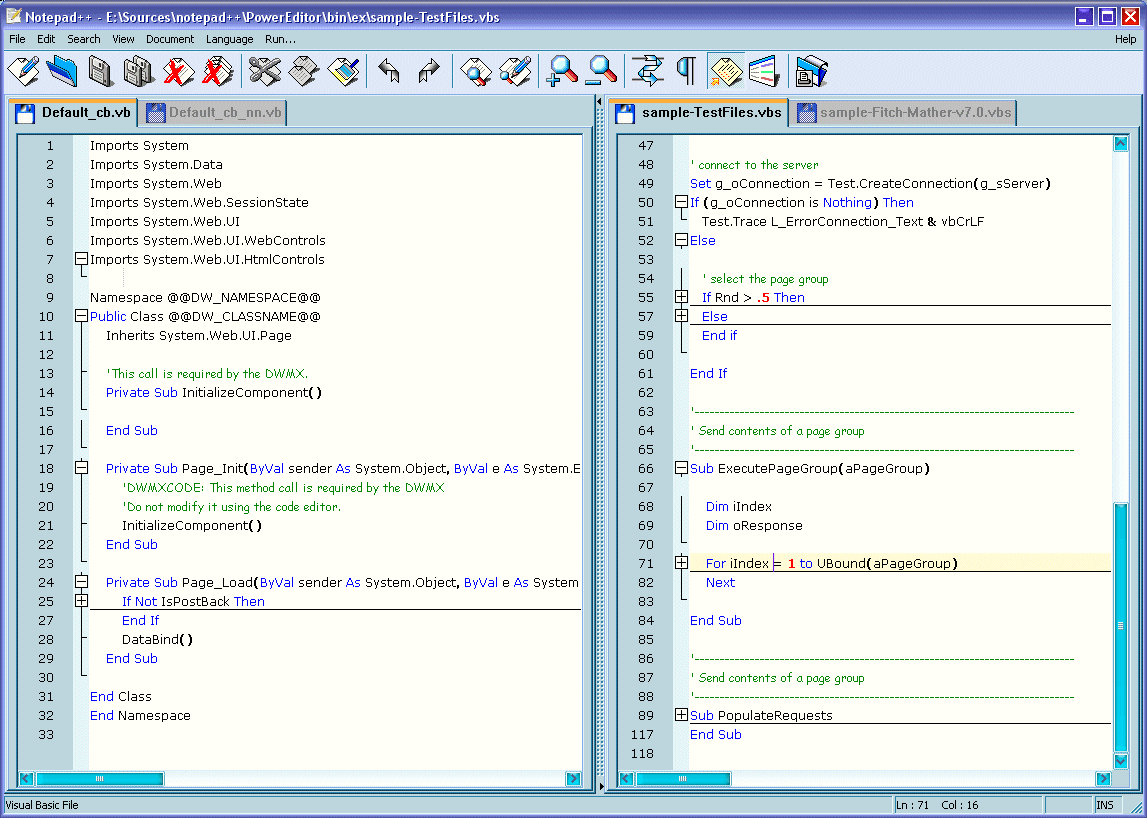
Supported languages : C, C++, Java, C#, XML, HTML, PHP, Javascript, RC resource file, makefile, ASCII art file (extension .nfo , screenshot1, screenshot2), doxygen, ini file, batch file, ASP, VB/VBS source files, SQL, Objective-C, CSS, Pascal, Perl, Python, Lua, TeX, TCL, Assembler, Ruby, Lisp, Scheme, Properties, Diff, Smalltalk, Postscript, VHDL, Ada, Caml, AutoIt, KiXtart, Matlab and Verilog.
|


|
WYSIWYG | ||
|
If you have a colour printer, print your source code (or whatever you want) in colour.
|
|
User Defined Syntax Highlighting | ||
|
It allows user to define his own language : not only the syntax highlighting keywords, but also the syntax folding keywords, comment keywords and the operators. ( screenshot1, screenshot2, screensho
t3, screenshot4 ). |
|
Auto-completion | ||
|
For most supported languages, user can make his/her own API list (or download the api files from dowload section). Once the api file is ready, type Ctrl+Space to launch this action (see screenshot). For more information about Auto-completion, please see Auto-completion HOWTO.
|
|
Multi-Document | ||
|
You can edit several documents at the same time.
|
|
Multi-View | ||
|
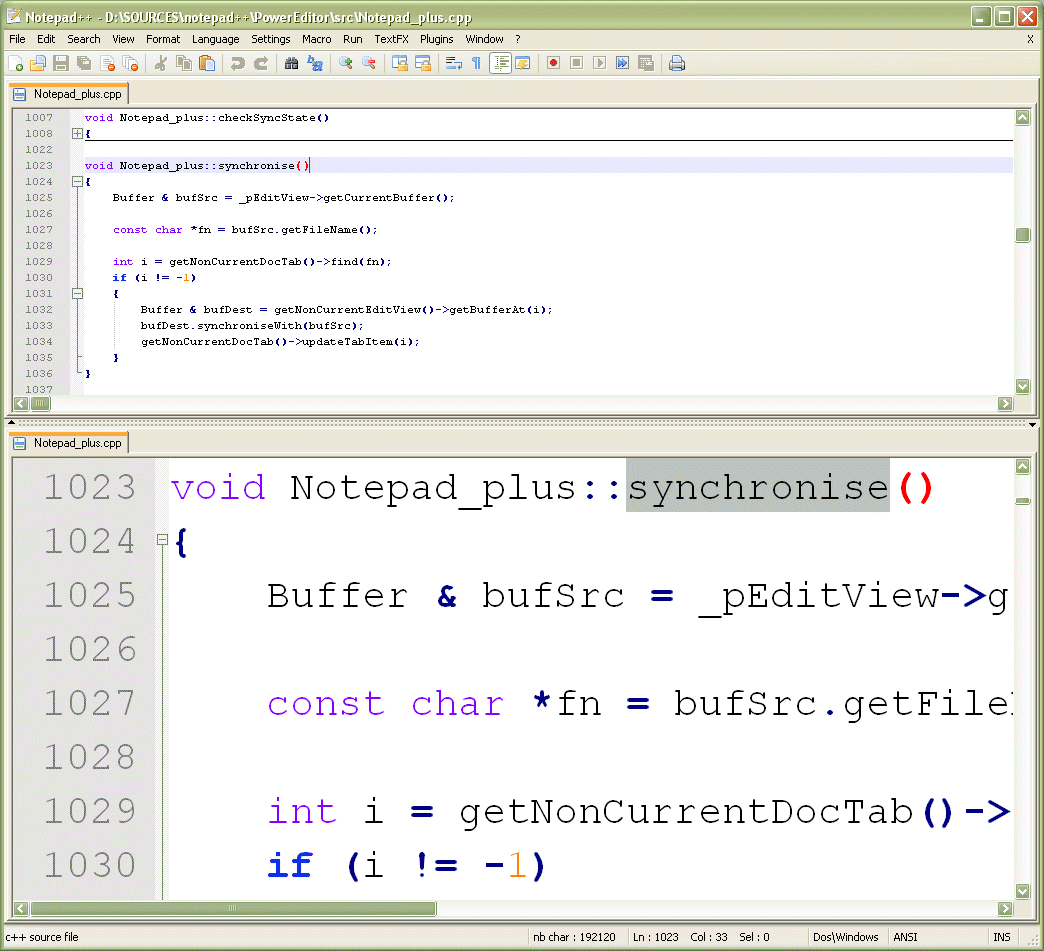
You have two views at same time. That means you can visualize (edit) 2 different documents at the same time (screenshot). You can visualize (edit) in the 2 views one document at 2 different positions as well. The modification of document in one view will carry out in another view (i.e. you modify the SAME document when you are in clone mode, see screenshot).
|
|
Regular Expression Search/Replace supported | ||
|
You can search and replace one string in the document by using the regular expression.
|
|
Full Drag ‘N’ Drop supported | ||
|
You can open a document by drag & drop. You can also move your document from a position (or even a view) to another by drag & drop.
|
|
Dynamic position of Views | ||
|
The user can set the position of the views dynamically (only in 2 views mode : the splitter can be set in horizontal or in vertical)
, see screenshot. |
|
File Status Auto-detection | ||
|
If you modify or delete a file which opened in Notepad++, you will be notified to update your document (reload the file or remove the file).
|
|
Zoom in and zoom out | ||
|
That’s another fantastic function of Scintilla component. Just see screenshot.
|
|
Multi-Language environment supported | ||
|
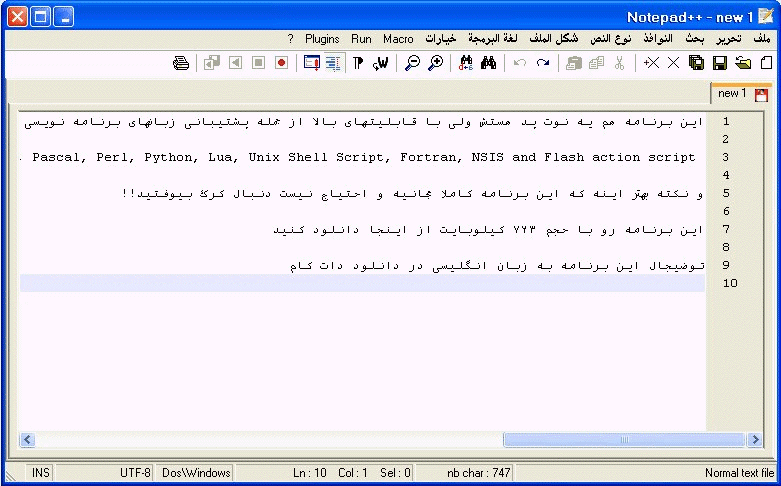
The Chinese, Japanese, Korean, Arabic and Hebrew Windows environments are supported. See Notepad++ under the Chinese Windows , under the Arabic Windows and under the Hebrew Windows in action screenshot.
|
|
Bookmark | ||
|
User can just click on the bookmark margin (located right side of line number margin) or type Ctrl+F2 to toggle a book mark. To reach the bookmark, type just F2 (Next bookmark) or Shift+F2 (Previous bookmark). To clear all bookmarks, click the Menu Search->Clear All bookmarks. See screenshot.
|
|
Brace and Indent guideline Highlighting | ||
|
When the caret stay beside of one of those symbol { } [ ] ( ) , the symbol beside of caret and its symmetric opposite symbol will be highlighted, as well as the indent guideline (if any) in order to locate the block more easily. See screenshot1, screenshot2 .
|
|
Macro recording and playback | ||
|
You can save several macros and edit their keyboard shorcuts for the next use.
|
Changes:
– Add Docking feature for plugin dialogs.
– Fix the bug that current “open” and “save as” directory are inchanged with the shortcut Ctrl+Tab.
– Fix the bug that the new added languages in v3.9 can not be hidden from the language menu.
– Fix the volatile search direction bug.
– Fix the Tab display problem.
– Add Haskell, InnoSetup languages support.
– Add the option to open/save files in the last operation directory.
– Enhance Document switcher (MRU and switch crossing view abilities)
– Fix “Find Next” unicode bug for Find Replce Dialog.
– Support Unicode in displayed result of Find in files & Find in all opened files.
– Add Reload from disk feature.
|
C, C++ Syntax highlighting and folding |
Docking feature |
|---|---|

HTML (and embedded php, java script) Syntax highlighting and folding |
XML Syntax highlighting and folding |

Ruby Blue Theme 1 |
Ruby Blue Theme 2 |
|
Find all |
ASCII Art Display I |

Multi-Document and Multi-View |
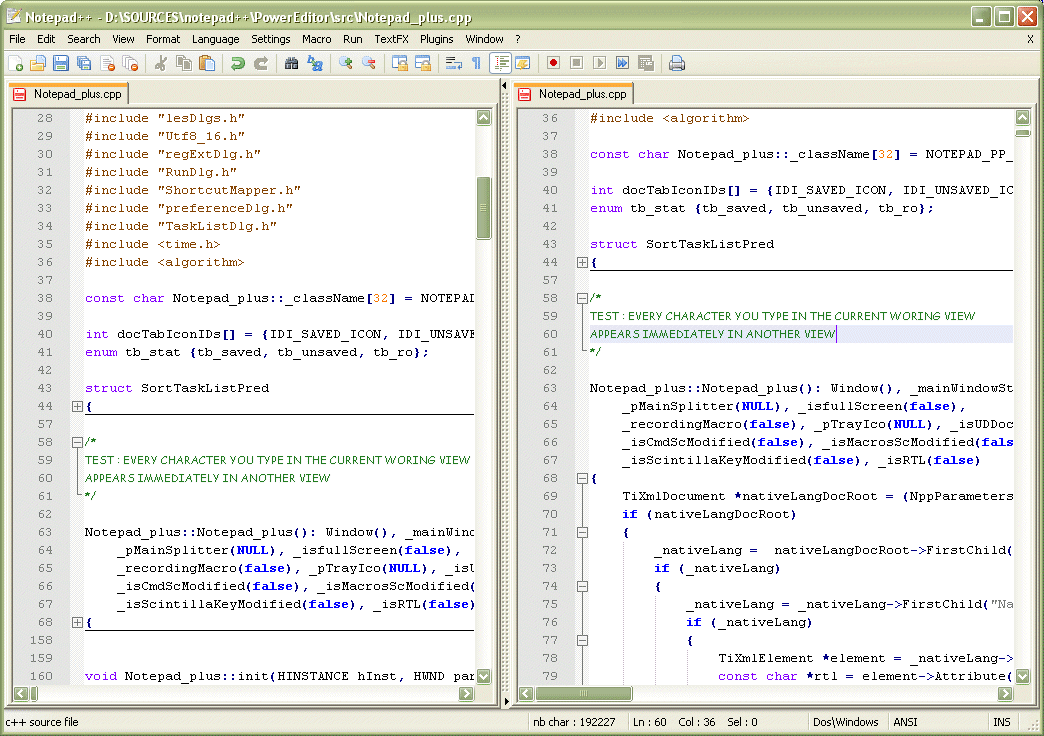
Multi-View (document in clone mode) |
|
ASCII Art Display II |
ZOOM IN & zoom out |
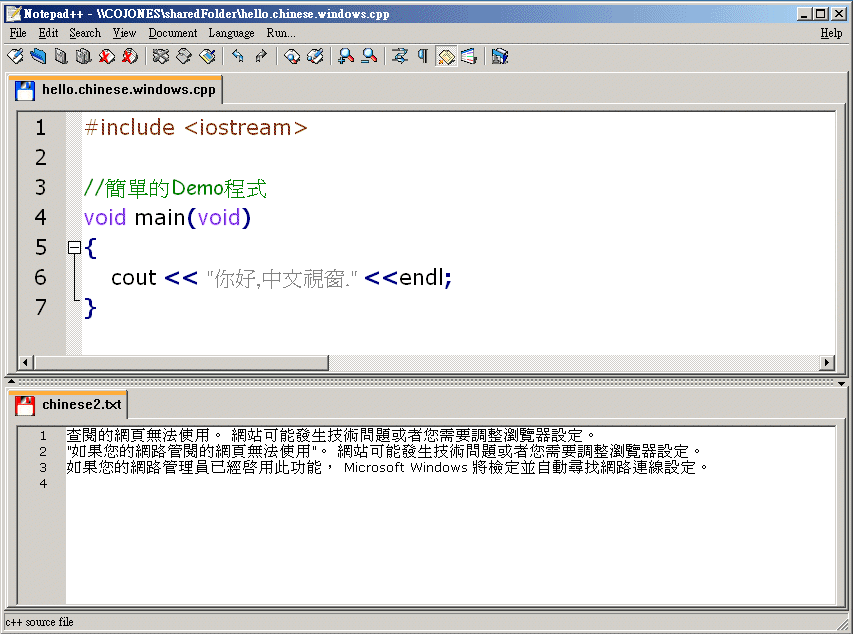
Under Traditional Chinese Windows |

Bookmark |
|
Brace and Indent guideline Highlighting |
Brace Highlighting |
|
Asp Syntax highlighting and folding |
Current line highlighting |

Go to line number |
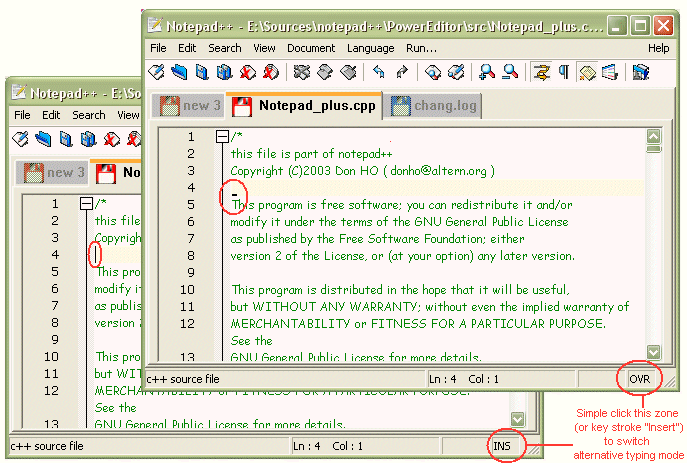
Insert/override typing mode |
|
Java Syntax highlighting and folding |
Objective-C Syntax Highlighting |
|
SQL Syntax Highlighting |
VB/VBS Syntax Highlighting |

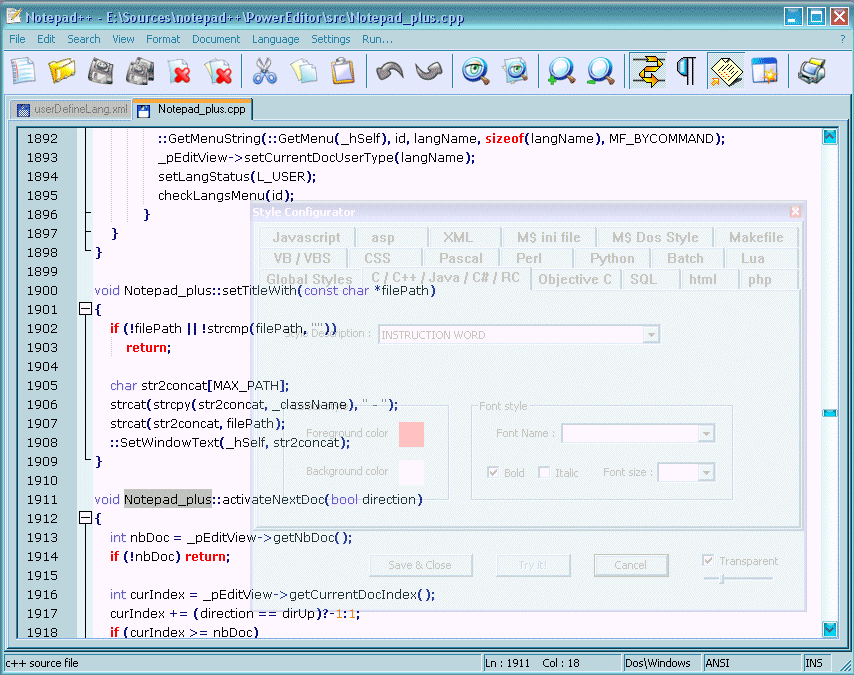
Styler Configurator I |
Styler Configurator II |

Transparency I |
Transparency II |

Under Hebrew Windows |
Under Arabic Windows |

Multi Language in UTF-8 encoding mode under xp (and xp only) |